Table of Contents
Academic research isn’t hard because there’s no information. It’s hard because there’s too much of it. You search a topic and end up with hundreds of papers, multiple tabs, long PDFs, and then the real struggle begins: What should I read? What’s relevant? What’s credible? And how do I pull insights fast without losing my mind?
That’s where AI research assistants come in. Some tools help you find papers quickly, some help you understand what research collectively says, and others help you chat with PDFs, extract key details, or validate citations. In this blog, I’m breaking down the 6 best AI research assistants for academic research, with a quick feature comparison so you can pick the right tool based on what you actually need.
Disclaimer
This article is based on independent research and is intended to provide an unbiased comparison of various AI writing tools, including our own. While we strive to present accurate and up-to-date information, features, and pricing, we recommend checking directly with the respective companies for the latest details, as offerings may change over time. Additionally, any opinions expressed here reflect the author’s perspective and may not represent the official stance of the companies/tools discussed.
Top 6 AI Writing Assistants: At a Glance
| Features | Paperpal | Elicit | Consensus | Perplexity | Semantic Scholar | Scite |
| Find relevant research papers fast | ✅ | ✅ | ✅ | ❌ | ✅ | ✅ |
| Get evidence-backed answers with citations | ✅ | ✅ | ✅ | ✅ | ❌ | ✅ |
| Literature review support (summaries + synthesis) | ✅ | ✅ | ✅ | ❌ | ❌ | ❌ |
| Chat with PDFs | ✅ | ✅ | ❌ | ✅ | ❌ | ❌ |
| Compare papers / cross-check findings across studies | ✅ | ✅ | ❌ | ❌ | ❌ | ❌ |
| Extract key research details into structured format (tables/variables/results) | ✅ | ✅ | ❌ | ❌ | ❌ | ✅ |
| Check citation credibility / validate claims | ❌ | ❌ | ❌ | ❌ | ❌ | ✅ |
| Real-time web research (latest info beyond papers) | ❌ | ❌ | ❌ | ✅ | ❌ | ❌ |
Paperpal
Paperpal is an AI research assistant designed for researchers who don’t just need answers, they need to actually write, improve, and finalize a research manuscript. Most tools either focus on literature discovery or extracting information. Paperpal helps you with topic discovery, proposal development, literature review synthesis, research gap identification, and a lot more.
Beyond a research assistant, Paperpal also provides AI writing support, academic paraphrasing, multi-PDF chat, and plagiarism, AI detection, and submission readiness checks.
With integrations across platforms like Word and Google Docs, Paperpal fits naturally into the way researchers already work, making it a practical, end-to-end assistant from first draft to final submission.
Key Features of Paperpal
- Research Assistant: Helps you discover and understand research faster by answering questions using evidence from 250M+ trusted research articles. You can ask follow-up questions, explore different angles (methods, frameworks, approaches), and continue in multi-turn conversations that retain context and memory, so you don’t have to restart your search every time.
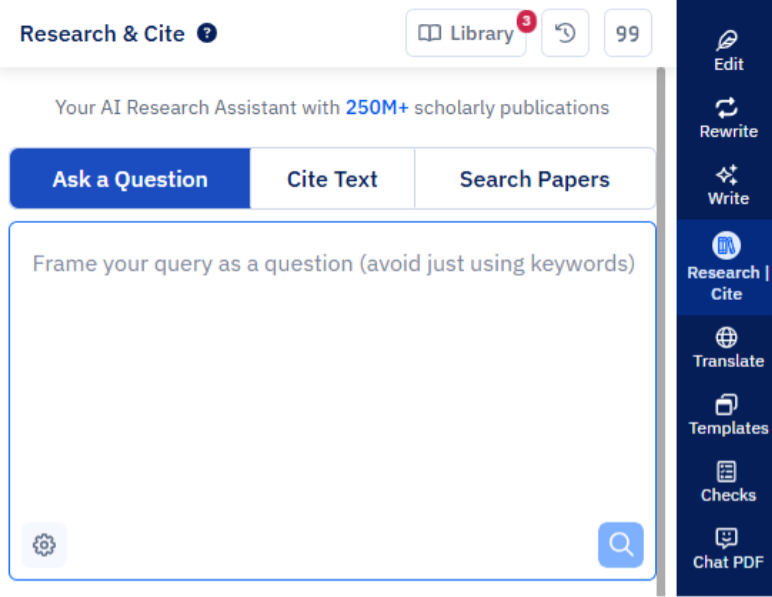
- Citation Generator: Cite as you write and build reference lists automatically in your preferred format including APA, MLA, IEEE, Chicago, and 10,000+ citation styles.
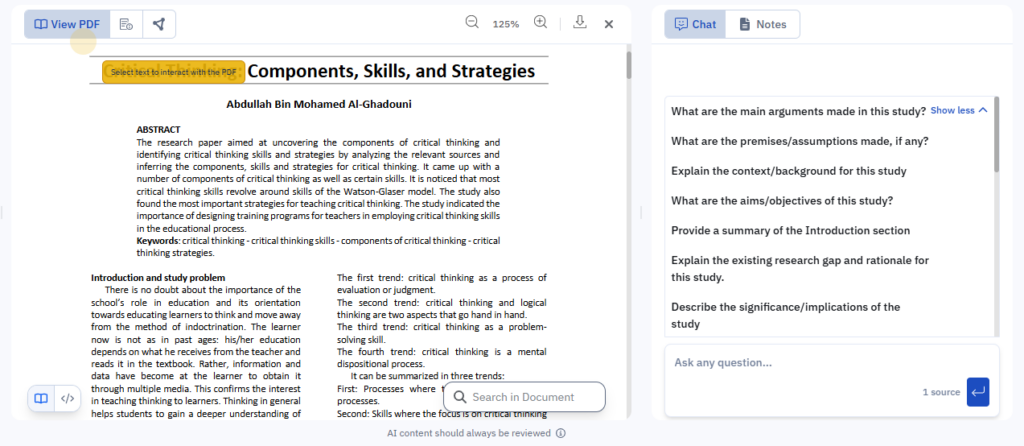
- Extract insights from multiple PDFs: Upload and interact with multiple PDFs, compare papers, cross-check claims, and synthesize insights across studies during literature review. Paperpal can accurately interpret equations, LaTeX, scientific notation, and even convert complex tables into clean, usable formats that can be exported instantly. With multilingual querying and responses, researchers can chat with PDFs in any language, making it highly effective for deep paper analysis.
- Rewrite and Paraphrase: Take control of your academic voice by rewriting and paraphrasing text without changing the meaning. Use multiple rewrite modes to make informal writing sound more academic, shorten complex sentences, and adjust tone to match your target journal while preserving context and intent.
- Language Checks: Polish every detail with an advanced grammar and language checker built for academic writing. It fixes grammar, punctuation, and spelling, while maintaining consistency in terminology, word usage, and data formatting across your manuscript.
- Write: Expand sections, convert rough notes into academic prose, or refine early ideas into clear paragraphs. By using uploaded writing guidelines or reference papers, Paperpal provides context-aware suggestions that stay consistent throughout the conversation without repeating instructions.
- Integrity and Submission Checks: Run essential pre-submission checks in one place—plagiarism, AI detection, and journal submission readiness checks to ensure your manuscript is original, policy-aligned, and technically ready before you submit.
Pros and Cons of Paperpal
| Pros | Cons |
| Search, write, edit, cite, and run inte | Researchers who only need literature discovery or evidence synthesis may find Paperpal more comprehensive than required |
| A complete academic writing suite that brings together writing assistance, multi-PDF chat, grammar checks, and pre-submission checks in one workflow | |
| Supports multi-user collaboration, feedback sharing, and improvement tracking, ideal for co-authors, mentors, and research teams | Free plan includes limited access to key features which may be insufficient for for larger documents |
| Works where researchers write, Available on Web, MS Word, Chrome, Overleaf, and Google Docs | |
| Inline AI commands and formatting tools help structure and polish documents quickly | |
| Does not use your content to train AI models, keeping academic work confidential and secure |
Elicit
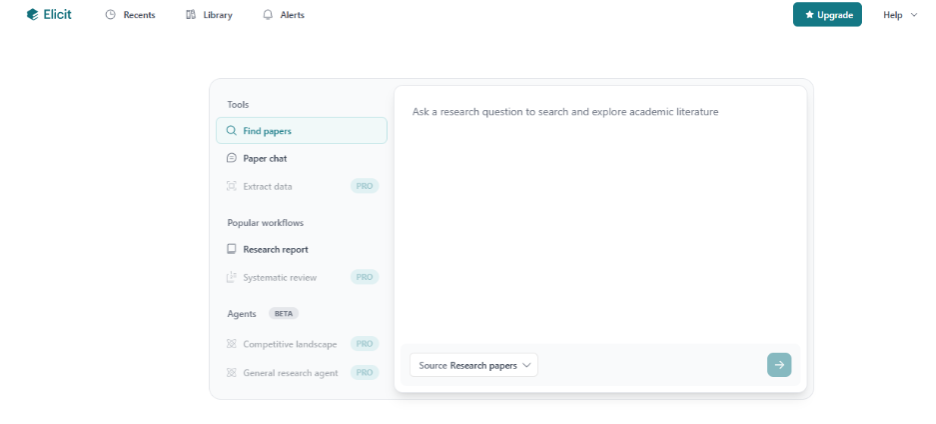
Elicit is an AI research assistant built specifically for literature reviews and evidence synthesis. Ask Elicit a research question and get relevant academic studies, concise summary of each paper, and extract the methods, sample size, and outcomes in a structured format.
Key Features of Elicit
- Find Papers: Ask research questions in natural language and get relevant scholarly papers and concise summaries to quickly shortlist the right studies.
- Research Report: Auto-generates a detailed topic-level research report from your question which is great for getting a high-level understanding before deep reading.
- Upload and Extract: Upload PDFs (or pick from your library) and extract structured data into tables to compare methods, variables, outcomes, and results across studies.
- Chat with Papers: Lets users interact conversationally with uploaded papers, asking about methods, findings, limitations, or conclusions to speed up comprehension during literature review.
Pro Features
- Systematic Review Workflow: Provides a step-by-step guided workflow for systematic reviews, paper discovery, screening for inclusion or exclusion, data extraction, and report generation.
- Create Alerts: Tracks selected topics and notifies you when new relevant papers are published, helping you stay updated.
- Expanded Chat with Papers: Supports deeper and more complex interactions with documents, higher usage limits, and more detailed responses for advanced research needs.
Pros and Cons of Elicit AI
| Pros | Cons |
| Helps researchers quickly shortlist relevant papers without spending hours searching manually | Does not support academic writing. (Ai writing, rewriting, grammar, citations, or formatting) |
| Saves time in evidence synthesis, summarizes multiple papers and makes comparison easier during early research stages | Limited usefulness for non-empirical / theoretical topics where academic evidence is not structured in typical study formats |
| Strong for systematic reviews, structured extraction of sample sizes, interventions, outcomes, and methods supports meta-analysis style work | Coverage may be limited for paywalled or niche literature, depending on access and indexing |
| Advanced workflows, higher limits, and alerts typically require Pro access |
Consensus AI
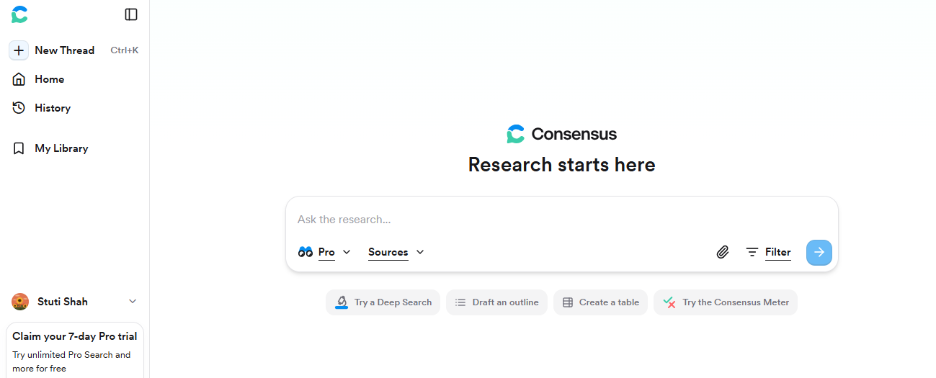
Consensus’s research assistant synthesizes insights from peer-reviewed studies and shows what the research collectively suggests, so you can understand the “research consensus” without reading dozens of papers individually. Built on the Semantic Scholar database, Consensus searches across 200M+ papers and uses AI to surface the most relevant studies, summarize key findings, and link every answer to its sources.
Key Features of Consensus AI
- Paper-level summaries: Provides concise summaries of individual studies so researchers can quickly judge relevance before reading full papers.
- Consensus Meter: Indicates whether the majority of studies support, oppose, or are inconclusive about a research claim, helping users understand overall research trends.
- Deep Search: Explores research questions thoroughly across the literature to uncover complex insights and connections.
- Medical Mode: Dedicated Medical Mode that focuses searches specifically on high-quality clinical evidence narrowing results to top medical journals and trusted clinical guidelines.
- Citation-backed insights: Links every generated answer to its source papers, supporting transparent and verifiable academic research.
- Research filtering: Enables filtering by study type, sample size, publication year, and methodological quality to refine results.
- Early-stage research support: Helps researchers validate ideas, frame hypotheses, and explore existing evidence efficiently during the initial research phase.
Pros and Cons of Consensus AI
| Pros | Cons |
| Quickly surfaces the dominant scientific view on a topic by synthesizing findings across multiple studies | Limited interaction with full-text PDFs, which restricts deep dives into methods, datasets, and nuanced discussions |
| Strong citation transparency, every answer is linked to peer-reviewed sources for easy verification | Does not extract structured study variables (sample size, outcomes, interventions), making it less suitable for meta-analyses |
| Clearly indicates whether research supports, contradicts, or remains inconclusive on a claim (useful for fast evidence checks) | Coverage can be constrained by open-access availability; newly published research may take time to appear |
| Ideal for early-stage research, background reading, hypothesis validation, and quick evidence-based decision-making | Free plan has usage limits; advanced analysis features typically require a paid plan |
| Saves time during literature exploration with fast Q&A and paper-level summaries |
Perplexity AI
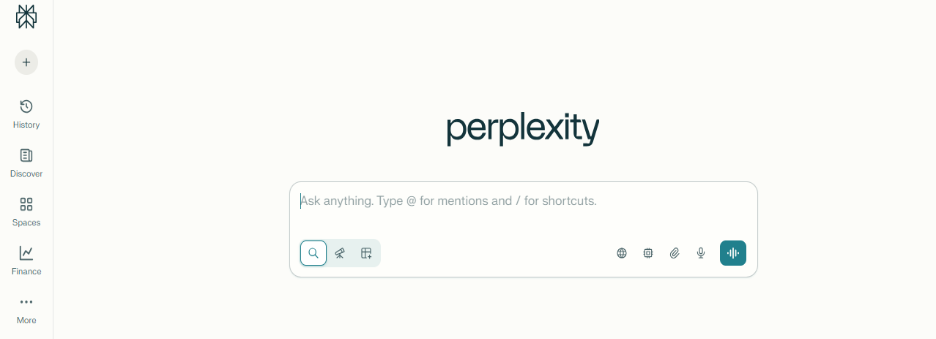
Perplexity AI’s research assistant combines live web search with citation-backed answers. While it’s not built specifically for academic research workflows, it’s great for quick fact-checking, early-stage topic exploration, and finding reliable sources fast. Its Comet agentic browser also enables deeper, multi-source research in an interactive way.
Key Features of Perplexity AI
- Real-time search and synthesis : Pulls the latest information from the internet and summarizes it into clear answers (not limited by training cutoff).
- Citation-backed answers : Every answer includes citations with clickable links to sources, helping researchers verify and trace original material.
- Conversational dialogue: Supports follow-up questions without repeating context, making research feel like a continuous discussion.
- Deep Research mode: Breaks complex questions into sub-tasks and iteratively refines searches for deeper, more complete answers.
- Comet (Agentic Browser): Performs multi-step exploration across sources, useful for complex research tasks that need structured digging.
- Multi-model support (Pro) : Allows switching between different language models (e.g., GPT-4o, Claude) for customized responses
- Interactive file uploads: Upload PDFs/images/text for summarization, extraction, and question-based understanding.
- Focus filters: Lets you narrow results by source type (Academic, News, Reddit, YouTube, etc.) to match your research intent.
- Follow-up query support : Users can ask follow-up questions directly, allowing the research flow to feel like a continuous conversation rather than isolated searches.
Pros and Cons of Perplexity AI
| Pros | Cons |
| Combines real-time web search with AI synthesis to deliver up-to-date answers with transparent, clickable citations | Not built for academic writing workflows (no manuscript drafting, academic editing, or submission support) |
| Great for early-stage research scoping, quickly summarizes multiple sources to help frame a topic or research direction | Not structured for literature review workflows (no systematic synthesis, screening, or study-level comparison tables) |
| Conversational follow-ups make it easy to refine queries without complex search operators | Source quality can vary since it pulls from the open web, researchers may need to cross-check for nuance and credibility |
| Strong for interdisciplinary exploration where answers are spread across domains and formats | Limited citation management capabilities (not ideal for cite-as-you-write or reference formatting) |
| Comet browser supports deeper, multi-step exploration across sources for complex questions |
Semantic Scholar
Semantic Scholar is a free AI-powered academic search engine from the Allen Institute for AI (AI2), designed to help researchers find the most relevant scientific papers faster. Instead of relying only on keyword matching, it uses AI to understand research topics, rank papers by relevance, and highlight key details like influential citations, related work, and core findings.
Key Features of Semantic Scholar
- Massive paper database: Provides access to 200M+ research papers across major disciplines like computer science, medicine, engineering, social sciences, and more.
- Advanced academic search: Supports highly targeted discovery using filters like author, journal/conference, publication year, paper type, and topic.
- TL;DR summaries: Generates short “Too Long; Didn’t Read” summaries for many papers so you can judge relevance quickly.
- Highly Influential Citations: Uses AI to highlight citations that truly shaped a paper, helping you identify impactful research faster.
- Smart recommendations / research feeds: Suggests related papers based on what you read and save, keeping your research discovery continuous.
- Personal library and folders: Lets you save, organize, and manage papers in custom folders across devices.
- Clean, researcher-friendly interface: Built for fast scanning and discovery, useful for both beginners and experienced researchers.
- Free to use (open access tool): No paywall for core search and discovery, making it widely accessible for students and academics.
Pros and Cons of Semantic Scholar
| Pros | Cons |
| AI-powered search delivers highly relevant results from a massive scholarly database, making paper discovery faster | Does not index every publisher/journal, so some papers may be missing |
| Strong recommendations help researchers uncover related work, influential papers, and key authors | Focused mainly on discovery, imited support for synthesis, comparison, or research workflow management |
| TL;DR summaries help quickly scan and shortlist papers during literature review | TL;DR summaries can sometimes oversimplify nuanced findings and should be treated as a starting point |
| Advanced filters (author, venue, year, paper type) make targeted academic searching easy | Limited interaction with full PDFs compared to dedicated PDF chat tools |
| Free and open-access, making it highly accessible for students and researchers globally |
Scite AI
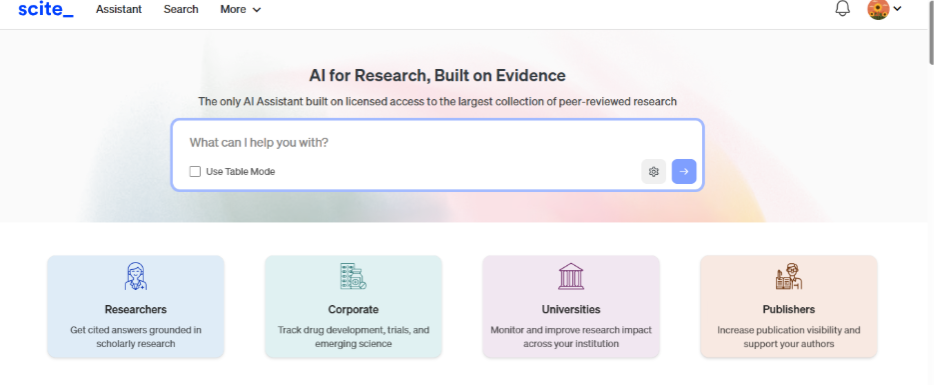
Scite’s research tool helps researchers evaluate and analyze scientific literature by focusing on how papers cite each other. Instead of treating all citations equally, Scite’s Smart Citations show whether a paper is being cited as supporting evidence, contradicting evidence, or simply mention a claim. This makes Scite especially useful for validating evidence, strengthening literature reviews, and assessing the credibility of research findings.
Key Features of Scite AI
- Smart Citations: Shows whether citations support, contradict, or mention a paper/claim, instead of treating all citations equally.
- Citation context extraction: Displays the exact sentence(s) where the citation appears, so you can instantly understand why it was referenced.
- Scite Assistant (Q&A): Ask research questions or validate claims and get citation-backed answers with quotes and source links.
- AI Tables (data extraction): Automatically extracts sample sizes, outcomes, and results into structured tables, useful for comparisons, systematic reviews, and meta-analysis work.
- Citation visualization: Maps citation networks to show related papers, influence, and how research conversations evolve.
- Citation-based discovery: Helps uncover relevant studies by exploring citation trails and context, not just keyword search.
- Browser extension: Shows Smart Citation insights directly while browsing papers on publisher sites and databases (e.g., PubMed).
- Workflow integrations and exports: Supports exports and integrations with tools like Word, Google Docs add-ons, and reference managers (e.g., Zotero/Mendeley).
Pros and Cons of Scite AI
| Pros | Cons |
| Makes citation analysis far more meaningful by showing whether a paper is supported, contrasted, or merely mentioned, helping evaluate evidence quality | Citation coverage can be limited in certain disciplines (especially niche areas), older studies, or paywalled literature |
| Speeds up literature review validation by helping identify contradictions, weakly supported claims, and highly supported findings | AI-generated summaries may sometimes feel broad/general and require careful review |
| Useful for tracking research impact with dashboards, topic monitoring, and real-time citation alerts | Not designed for academic writing, drafting, or full-document editing workflows |
| Integrates well with tools like Zotero, adding citation context directly into existing reference workflows | Advanced exploration at scale (alerts, Assistant, deeper analysis) typically requires a paid plan |
| Clean, structured interface that becomes intuitive over time despite analytical depth |
AI isn’t replacing researchers, it’s, augmenting them. These tools aren’t just about speed or automation; they’re about enhancing the depth, clarity, and credibility of scientific work. Whether you’re a PhD student drafting your first paper, a senior researcher conducting meta-analyses, or an interdisciplinary scholar juggling multiple sources, the right AI research assistant can make your workflow significantly smoother.
Ultimately, the best AI research assistant depends on your research needs, but if your goal is to reduce tool-hopping and keep everything in one place, an integrated platform like Paperpal can make a meaningful difference. It brings together research discovery, multi-PDF chat, citation generation, academic writing support, and integrity/submission checks, so you can spend less time managing tools and more time thinking, writing, and publishing with confidence.
writing in half the time. It leverages 23+ years of STM experience and insights from millions of research articles to provide in-depth academic writing, language editing, and submission readiness support to help you write better, faster.
Get accurate academic translations, rewriting support, grammar checks, vocabulary suggestions, and generative AI assistance that delivers human precision at machine speed. Try for free or upgrade to Paperpal Prime starting at US$25 a month to access premium features, including consistency, plagiarism, and 30+ submission readiness checks to help you succeed.
Experience the future of academic writing – Sign up to Paperpal and start writing for free!
 Paperpal for China
 Paperpal for Korea
 Paperpal for Japan


 Speak to us