Table of Contents
Anyone who has worked on a literature review knows the moment when the browser fills with tabs. One paper explains a method clearly. Another reports conflicting results. A third contains the statistic you need, but buried somewhere deep in the discussion section. Before long, you’re switching between files, running PDF search, copying notes, and trying to remember which study said what.
Reading research isn’t usually the hardest part. Connecting insights across documents is. When you’re constantly jumping between files to connect ideas, it’s easy to miss crucial details, lose track of sources, and doubt your own conclusions. This is what often slows down literature reviews.
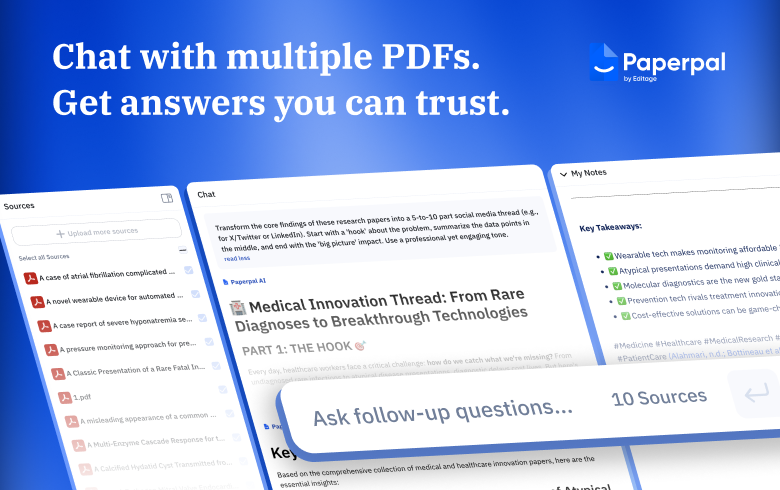
So Paperpal built a workflow where academics don’t have to think about where information lives, only what they want to discover. To align with how academics really work, it expanded Chat PDF, its powerful AI PDF reader, to allow users to chat with multiple PDFs and run AI document analysis across several research papers in one conversation.
Paperpal Chat PDF Becomes More Powerful
Paperpal’s Chat PDF quickly became a favorite among researchers who wanted a smarter way to upload PDFs, find answers from PDFs, summarize research papers, and interact with long academic documents. Now, we’ve expanded this capability, because we know research rarely happens one paper at a time.
You can now upload several research papers into one workspace and analyze them together using Chat PDF. This allows you to effortlessly compare methodologies, distill takeaways, identify agreements and conflicts between studies, build literature matrices, and more—all by asking the AI PDF reader the right questions.
What’s New with Chat PDF?
Literature reviews and research analysis don’t have to involve endless tab switching. By allowing you to upload PDFs, chat with documents, and extract cross-paper insights, Chat PDF transforms how researchers interact with literature. Paperpal retains context and suggests follow-up questions to help you dive deeper into research. Now instead of manually connecting ideas across files, you can focus on what really matters: understanding the research and building new knowledge from it.
Take a look at what’s new on Paperpal:
- Chat with multiple PDFs in one conversation. Upload up to 10 papers to Paperpal Chat PDF and start asking questions across documents or a few selected files. This makes it easier to compare studies, identify trends, and summarize multiple PDFs without switching tabs.
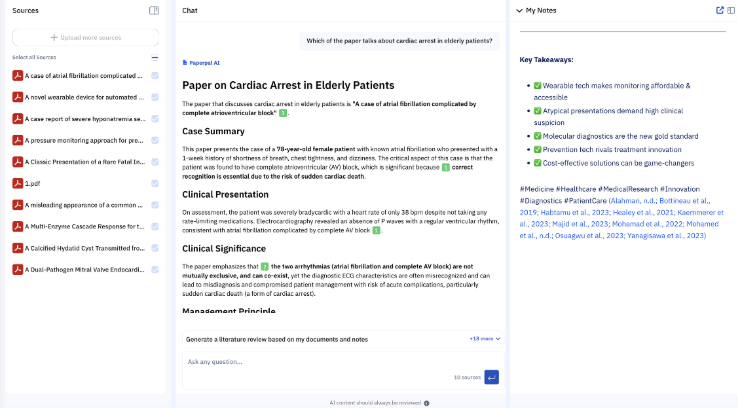
- Get answers grounded in your sources. Paperpal’s new AI PDF chat system analyzes selected documents and provides responses with numbered markers that link directly to the source text, so you can quickly verify insights.
- Access a unified research workspace. Add PDFs, run your AI document analysis, and take notes in a three-panel interface that lets you collapse, expand, or resize panels to suit specific tasks. For instance, when chatting and taking notes, hide the Source panel and widen Chat or Notes.
- Analyze large research documents easily. Chat PDF supports files up to 500 pages, making it easy to read PDFs, search documents, and analyze long research papers, books, and theses without splitting them into separate chats.
- Capture insights beyond PDFs. With the Paperpal Chrome Extension, you can save notes not just from PDFs, but from any webpage, keeping your research insights safely in one place.
3 Practical Ways Academics Use Paperpal Chat PDF
Paperpal’s Chat PDF can handle complex research workflows—from literature review analysis to idea synthesis. Here are three examples of how you can leverage our AI PDF tools to find answers from PDFs.
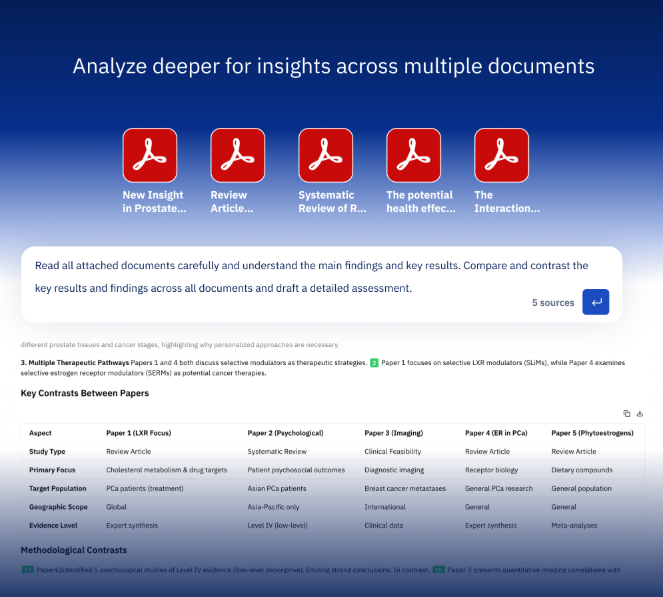
1. Cross-document insights: Compare research findings faster
Instead of reading each paper separately, you can ask Chat PDF to find similarities and differences across studies. This makes it much easier to identify patterns or contradictions within the literature. For example, you could ask the AI PDF reader to compare methodologies or analyze key results and findings across papers and provide a detailed assessment.
2. Synthesize information across documents: Build literature review matrices
Literature matrices are essential for organizing large volumes of research, but creating them manually can take hours. With a well-constructed prompt, Chat PDF can generate comparison tables or structured summaries, helping you map out relationships between studies in minutes.
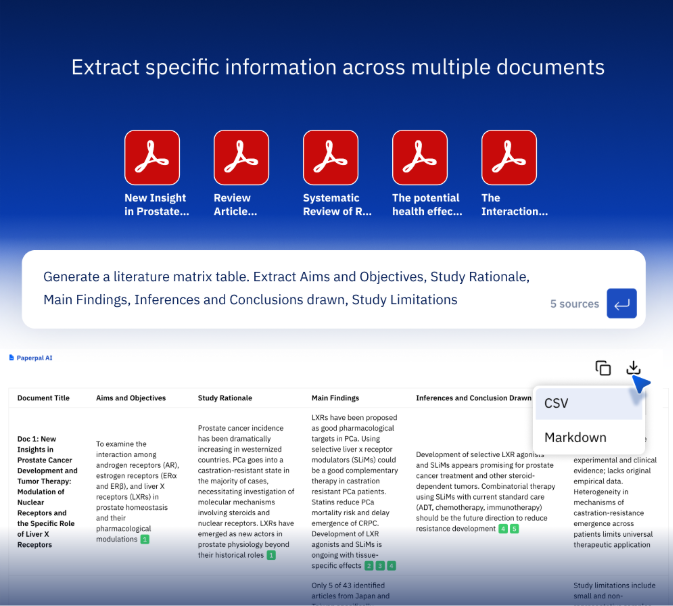
Note: Literature review matrices, or any tables, can be downloaded as CSV or Markdown files.
3. Turn insights into drafts: Create outlines or a first draft from your sources
As you chat with PDFs, you can save relevant insights as notes with linked citations. Refine your notes alongside your AI document analysis by adding your own interpretations, then use it to create an outline or a coherent first draft.
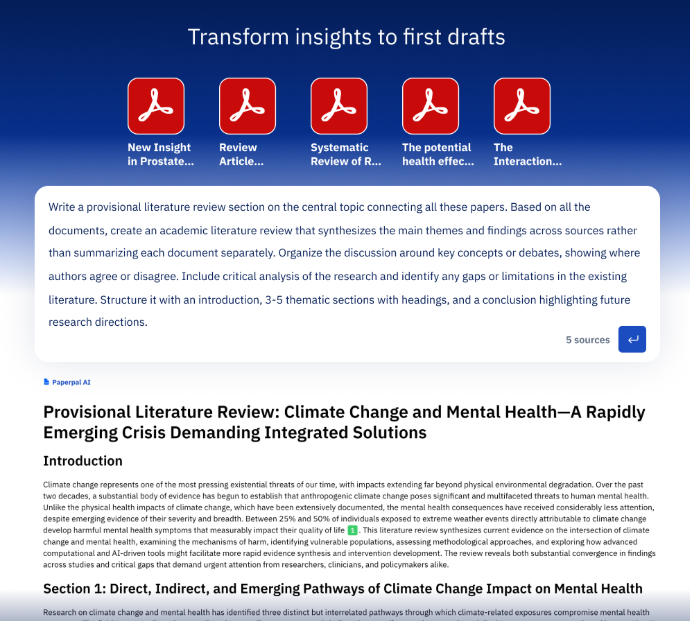
Paperpal’s AI PDF reader can help you uncover deeper insights, assist you with responding to peer review comments, create impactful content for your conference slide deck, and much more.
Convert Notes to Drafts with Paperpal’s Complete Writing Toolkit
Analyzing research papers is only one part of the process. Once you’ve identified insights across key studies, the next step is turning those ideas into structured writing. Paperpal supports the transition from PDF analysis to manuscript drafting, keeping your literature analysis, note-taking, and academic writing connected in one seamless workflow.
Instead of copying information across documents, you can move directly from AI document analysis to structured writing, keeping your arguments grounded in your research sources.
Chat PDF lets you save source-linked notes while analyzing your sources. These notes can then be expanded into a new Paperpal web document, with access to our complete research, writing, citing, editing, and submission-readiness toolkit. Once here, you can develop arguments, add interpretations, and build properly cited sections of your manuscript or thesis.
Paperpal is a comprehensive AI writing toolkit that helps students and researchers achieve 2x the writing in half the time. It leverages 23+ years of STM experience and insights from millions of research articles to provide in-depth academic writing, language editing, and submission readiness support to help you write better, faster.
Get accurate academic translations, rewriting support, grammar checks, vocabulary suggestions, and generative AI assistance that delivers human precision at machine speed. Try for free or upgrade to Paperpal Prime starting at US$25 a month to access premium features, including consistency, plagiarism, and 30+ submission readiness checks to help you succeed.
Experience the future of academic writing – Sign up to Paperpal and start writing for free!
 Paperpal for China
 Paperpal for Korea
 Paperpal for Japan


 Speak to us