
The Reference Manager for Research, Writing, and Submission
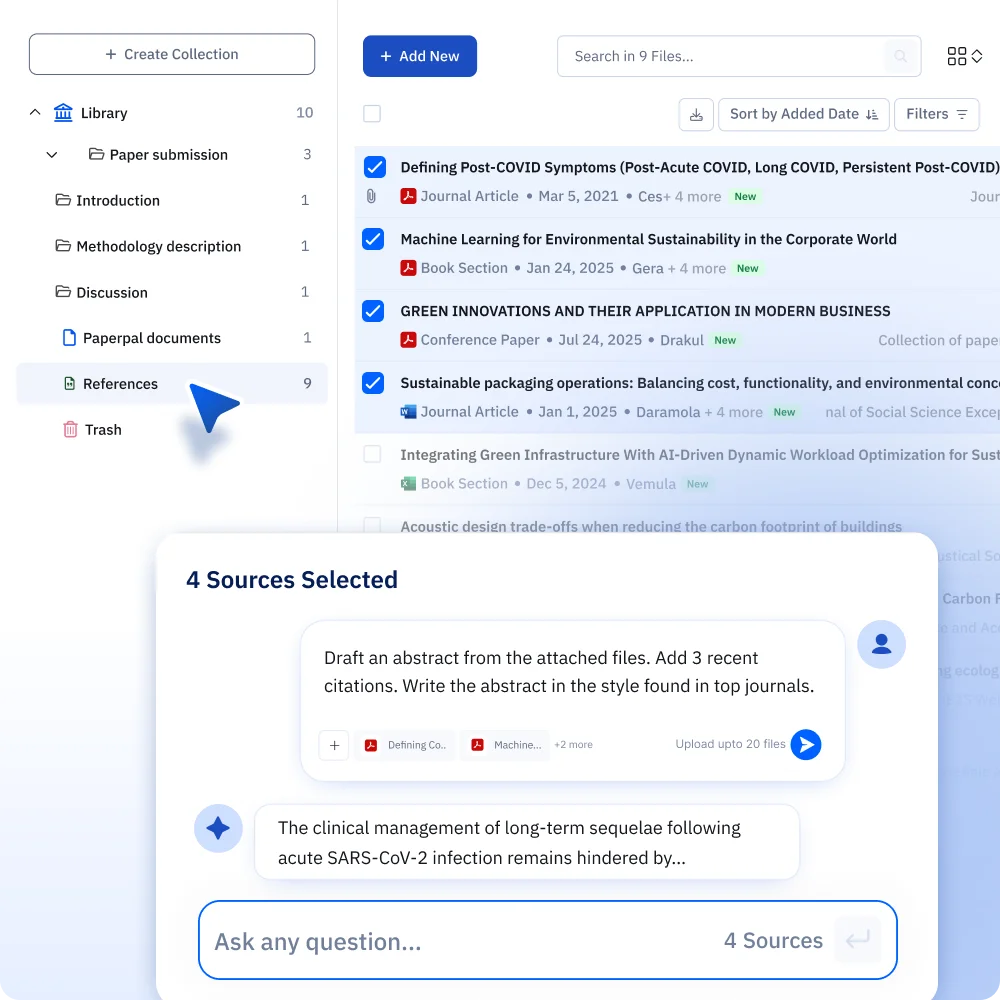
Import your Zotero, Mendeley, or EndNote library. Chat with your sources and cite them straight into your writing without leaving your draft.
 Sign up with Google













What Makes Paperpal's Reference Manager Different?
Paperpal vs Other Reference Managers
Every citation manager claims to organize your work. Paperpal citation library can also chat, write, and cite with you.
Paperpal | Zotero | Mendeley | EndNote | |
Native AI chat with sources | Yes. Chat with any saved PDF | No (plugins only) | No | Yes, but one document at a time |
AI writing grounded in your library | Yes. Draft with AI that pulls from your saved sources | No | No | No |
Citation-aware across your whole library | Yes | No | No | No. Chat is single-document only |
Import from other reference managers | Yes. Zotero, Mendeley, EndNote via BibTeX/RIS/CSV | Yes, via BibTeX/RIS/CSV | Yes, via BibTeX/RIS/CSV | Yes, via RIS only |
Organize (collections, labels, content search) | Yes | Yes (folders/collections) | Yes (folders) | Yes (groups/folders) |
Bibliography generation | Yes, automatic from saved sources | Yes | Yes | Yes |
One tool for cite + chat + write | Yes | No | No | No |
How to Import Your References to Paperpal?
 1. Export your library
 Export your existing library from Zotero, Mendeley, or EndNote as a .bib, .ris, or .csl file to Paperpal’s reference management software.
 2. Organize into collections
 Sort your imported sources into collections by class, chapter, or project, and add labels that cut across them.
 3. Start working from your library
 Open any saved source to chat with it, pull it into a draft, or generate a citation.
Paperpal users publish in the world's top journals

EBioMedicine: Triheptanoin treatment in ataxia-telangiectasia: targeting mitochondrial dysfunction
Pediatric Research: Evaluation of clinical responses to probiotics and colchicine in PFAPA patients based on AIDAI scores

Immunology: In vitro derivation of megakaryocytes and platelets from iPSCs
Nutrients: Beyond Biochemical Markers: Characterizing Malnutrition in COVID-19
Hear it from researchers like you
"I used Paperpal for my final year project and literature review. The academic language suggestions were better than anything else I'd tried"
"As a master's student, I need to stay on top of the latest research in my field, and Paperpal has become my go-to for that. It helps me find relevant articles and summarizes complex papers in seconds. I was skeptical at first, but it's honestly like having a research assistant on call."











Paperpal Works Where You Write
No new tabs. No copy-pasting. Just seamless writing support, right where you are.
 MS Word
 Google Docs
  Chrome
  Overleaf
 Frequently Asked Questions
When you sit down to write, you're back to opening each reference manually to find the point that backs your argument. EndNote goes a step further with a chat feature built in, but it only works one document at a time, not across everything you've saved.
Paperpal treats reference management as the start of the workflow, not the whole of it. Once a source is in your library, you can chat with your saved PDFs directly, up to 5 files on the free plan, 150 on Prime, and 200 on Pro, and pull out findings, summaries, or quotes, saving what you find back into the same collection. You can pull that same source into your draft as live writing context, so what you write is grounded in the paper you actually read, not a generic answer. And you can cite it inline as you go, with your bibliography building itself automatically in the background.
Zotero, Mendeley, and EndNote help you store and find your sources. Paperpal is the one where the same source stays with you all the way through reading, writing, and citing, without ever leaving.
One Reference Library for Every Paper You Write
 Paperpal for MS Word
 Paperpal for Google Docs
 Paperpal for Chrome
 Paperpal for Overleaf
 Paperpal on Web
 Paperpal for China
 Paperpal for Korea
 Paperpal for Japan