Table of Contents
You’ve spent months perfecting your research paper, and now you’re ready to submit. Before hitting send, you run it through a free plagiarism checker, it comes back clean. Think you’re done? Not so soon.
Generic plagiarism checkers only compare your research against blog posts, student essays, and Wikipedia entries, not the millions of peer-reviewed articles. What looks original to a generic tool might flag serious overlap when compared against a plagiarism checker for research. The result? Desk rejection, or accusations of academic misconduct that could derail your career before your work even gets peer-reviewed.
We tested 6 most popular plagiarism checkers for research, comparing their database coverage, accuracy, and value for researchers. With those insights, we help you choose the right academic plagiarism checker that matches what journal editors actually see, protecting your work and reputation before you submit.
Disclaimer
This article is based on independent research and is intended to provide an unbiased comparison of various AI writing tools, including our own. While we strive to present accurate and up-to-date information, features, and pricing, we recommend checking directly with the respective companies for the latest details, as offerings may change over time. Additionally, any opinions expressed here reflect the author’s perspective and may not represent the official stance of the companies/tools discussed.
Top 6 Plagiarism Checkers for Research: Quick Comparison
| Plagiarism Tool | Best For | Free Plan Availability |
|---|---|---|
| Paperpal | Most accurate plagiarism checker for research | 7,000 words/month |
| Scribbr | Theses and dissertations with strong paraphrasing detection | Preview scans without any word limit |
| Grammarly | Quick student essays with ProQuest academic database access | 10,000 characters (~1,500-2,000 words) |
| Quetext | Basic essays and exact match detection | 500 words per check, 3 checks/month |
| Copyleaks | AI-hybrid content and multilingual research | 10-25 credits (~2,500-6,250 words) |
| Smodin | Fast web-based scans for essays | 1,500 characters (~250-300 words) per scan |
Paperpal: Best for Research – 7,000 Words Free Plagiarism Check
Paperpal’s Plagiarism Checker scans your text against 99 billion webpages and 200 million open-access articles, delivering color-coded reports with similarity scores and side-by-side source comparisons. You can scan essays, research papers, theses or academic text against a database of 100 billion web pages.
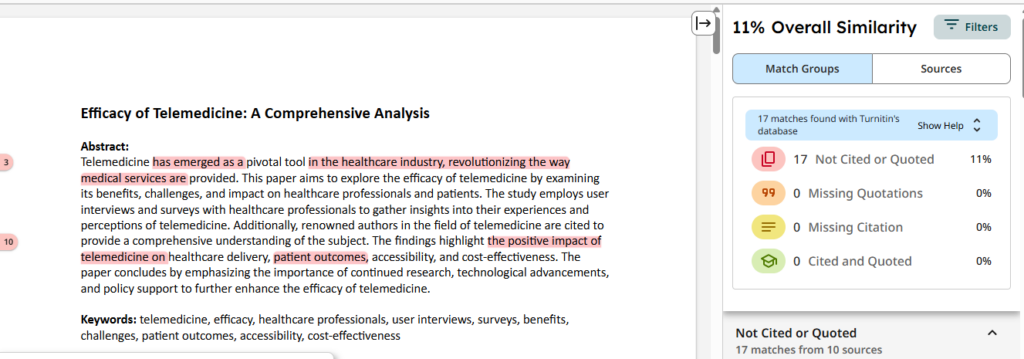
Paperpal detects similar phrasing and instances of synonym swapping in text and provides a detailed plagiarism report to quickly identify problem areas in your writing. Here’s what you get with Paperpal’s plagiarism report:
- Overall Similarity Score – A percentage indicating how much of your text overlaps with existing sources (ideally should be under 15-20%)
- Color-coded results – Red, orange, yellow, and green indicators to quickly identify the severity of different matches
- Match Groups section – Detailed breakdowns that show:
- Specific instances of similarity in your text
- Which sources those similarities come from
- How many times each source appears in your document
- The ability to view overlapping sources (when one instance of similarity traces back to multiple sources)
- Side-by-side comparisons – Visual displays showing your text alongside the matching source content
- Sources tab – A comprehensive list of all sources where similarities were detected, with options to identify overlapping sources
Key Features
- Detailed plagiarism insights: Identify where your text matches existing published content, understand the nature and severity of those matches, and get exactly which sources are involved so you can take appropriate action, whether that’s adding citations, rewriting passages, or addressing unintentional plagiarism.
- Free report available: Free users can check up to 7,000 words/month (~25 pages). Paperpal Prime includes a more detailed report and allows up to 10,000 words/month (~36 pages), with options to buy additional words if needed.
- Multiple file formats: Upload your work files in .doc, .docx, and PDF formats and check your writing for potential plagiarism.
- Privacy-first data security: Your manuscript remains yours, Paperpal does not use your data to train its AI, and follows privacy-first safeguards to protect your work.
Pricing
Paperpal’s free plagiarism checker lets users to scan up to 7,000 words per month, approximately 25 pages. You get an overall similarity score with matching sources in the free report.
With Paperpal Prime, you can check up to 10,000 words per month, approximately 36 pages, and get an in-depth plagiarism report with color-coded results and side-by-side comparisons. Prime subscribers also have the option to purchase an additional 50,000 words at a special price.
Paperpal Prime is priced at $25/month, $55/quarter, and $139/year, respectively.
Paperpal Goes Beyond a Plagiarism Checker
Need that final polish before you hit submit? Get grammar and academic paraphrasing suggestions followed by an AI peer review. Verify technical aspects like ethical declarations, formatting, metadata, tables and figures with Paper Checker. Understand how AI influenced your work with accurate AI detection.
Scribbr: Best for Self Plagiarism Checks
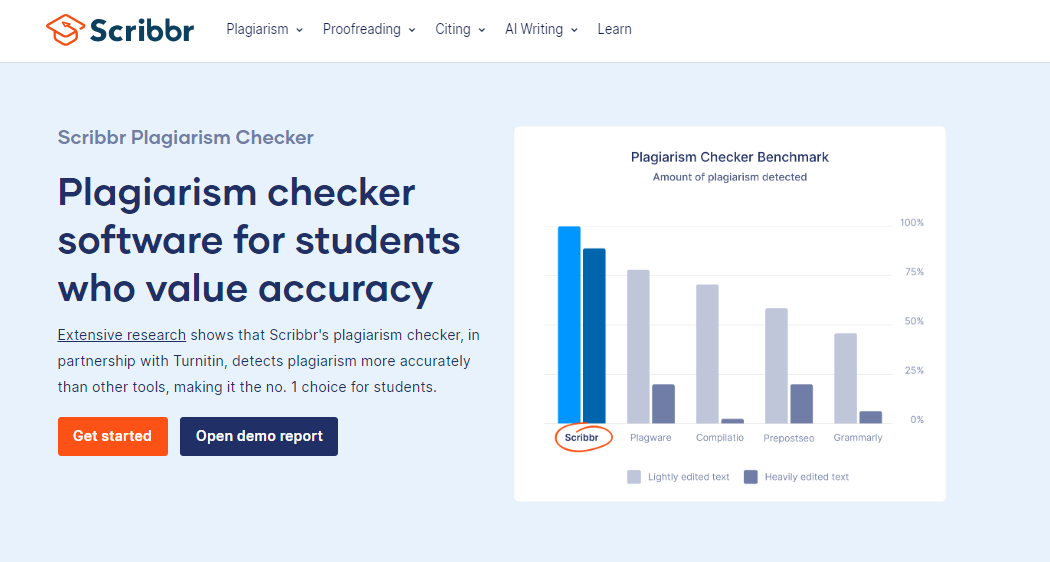
Scribbr’s plagiarism checker has a limited free version that’s perfect for checking if your work has been plagiarized. To unlock the detailed report, you need to buy the premium version, which costs between $19.95 and $39.95 depending on the word count.
What we like about Scribbr’s plagiarism checker is it lets users upload their own previous or unpublished documents for customized comparison during scans. This helps detect reused content across personal works, unlike most plagiarism checkers that only check against public databases.
Pros:
- Detects paraphrased and self-plagiarism effectively with detailed reports.
- Fast scans under 10 minutes, saving time over manual checks
- Includes proofreading and citation tools for complete academic support
Cons:
- Slower than other plagiarism checkers on large documents
- Higher cost for detailed reports, starting around $20 per scan
- Occasional false positives on references or original work
- No simple copy-paste; requires file uploads only
Grammarly: Best for Class Assignments
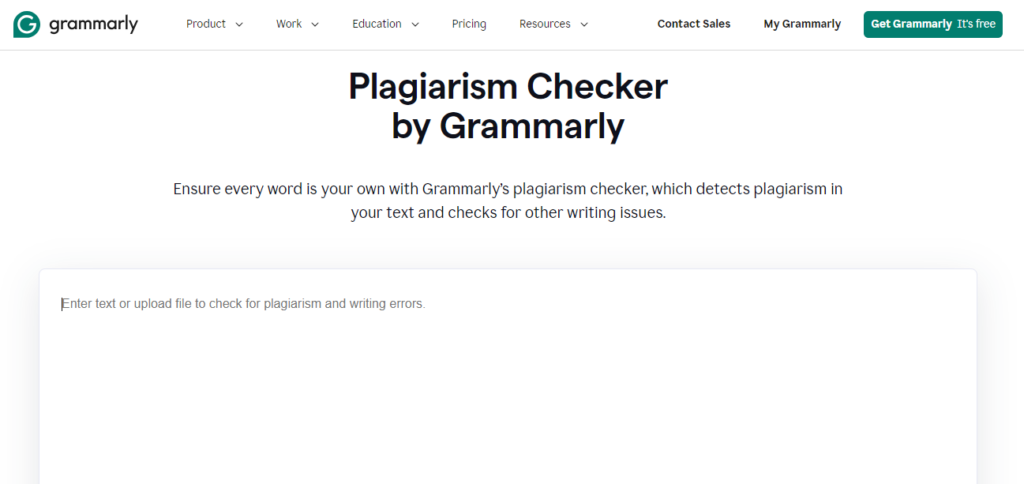
Grammarly’s plagiarism checker works best for quick, integrated originality checks during everyday writing and editing tasks. It excels when combined with grammar and style suggestions for non-academic users. Grammarly’s plagiarism check is a premium-only feature which is available at $15/month.
Pros:
- Grammarly checks submitted text against ProQuest’s database of 16 billion webpages
- The plagiarism checker provides real-time feedback as users write for a smoother writing flow
- Let’s users to scan copy-pasted text and file uploads
- Grammarly plagiarism checker supports .doc, .docx, and PDF file formats
Cons:
- No free plagiarism checks provided
- Inaccurate detection of heavily edited text and AI content
- No color categorization of different sources, making it hard to interpret the report
- Limited academic database depth compared to Paperpal or Turnitin
- English-only support for plagiarism scans
Quetext: Best for Identifying Structural Plagiarism
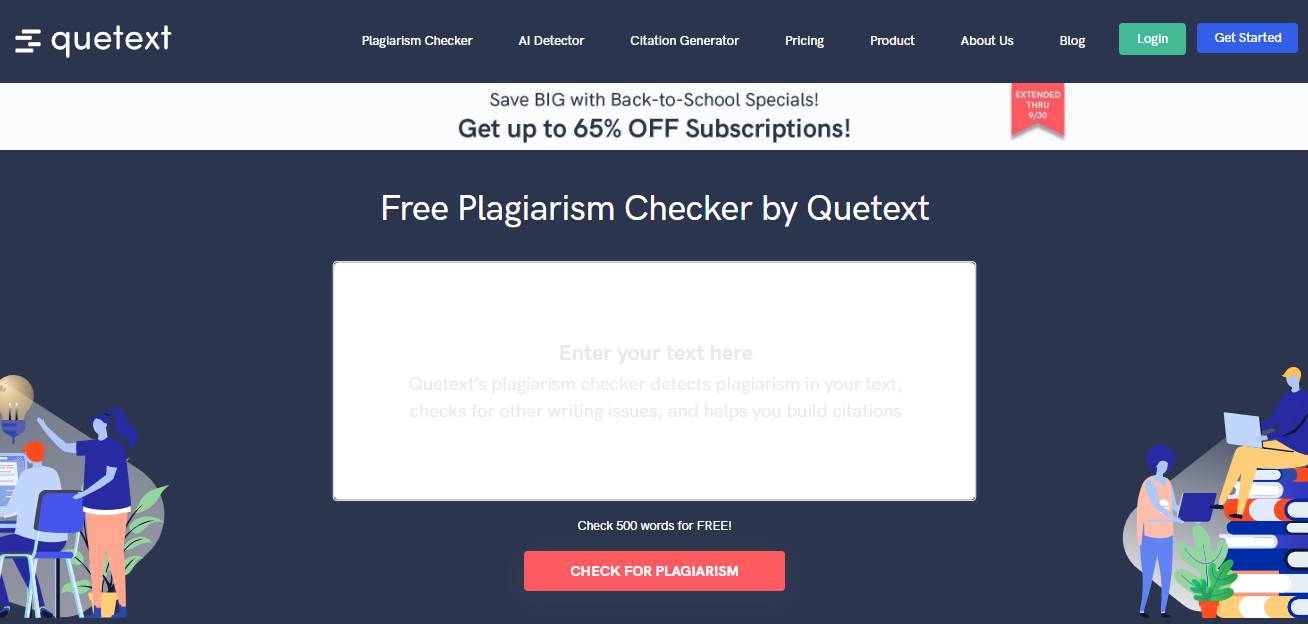
Quetext leverages its proprietary DeepSearch technology to effectively identify plagiarism in various forms of writing. It assess key factors like word placement, sentence structure, and the overall flow of the content to identify potential plagiarism.
Quetext’s built-in Cite Source tool helps users address flagged issues faster; it generates citations for matched sources with an option to directly insert these in text. Quetext’s Pro plan costs $9.99/month for up to 100,000 words, including DeepSearch, citation tools, and downloadable reports. Essential upgrades to $14.99/month with 100,000 words, file uploads (up to 20), and grammar checks.
Pros:
- High accuracy for exact matches and basic plagiarism
- User-friendly interface with color-coded reports, contextual highlights, and citation assistance to fix issues
- Generous free plan (500 words per check) and affordable Pro upgrades for detailed analysis
Cons:
- Weak on paraphrased or AI-rewritten text, risking misses in research papers
- Limited database scope compared to academic-focused checkers, leading to occasional false positives or irrelevant sources
- Free version restricts to 3 checks monthly; not ideal for rigorous publishing without premium
Copyleaks: Best for Detecting Multilingual Plagiarism
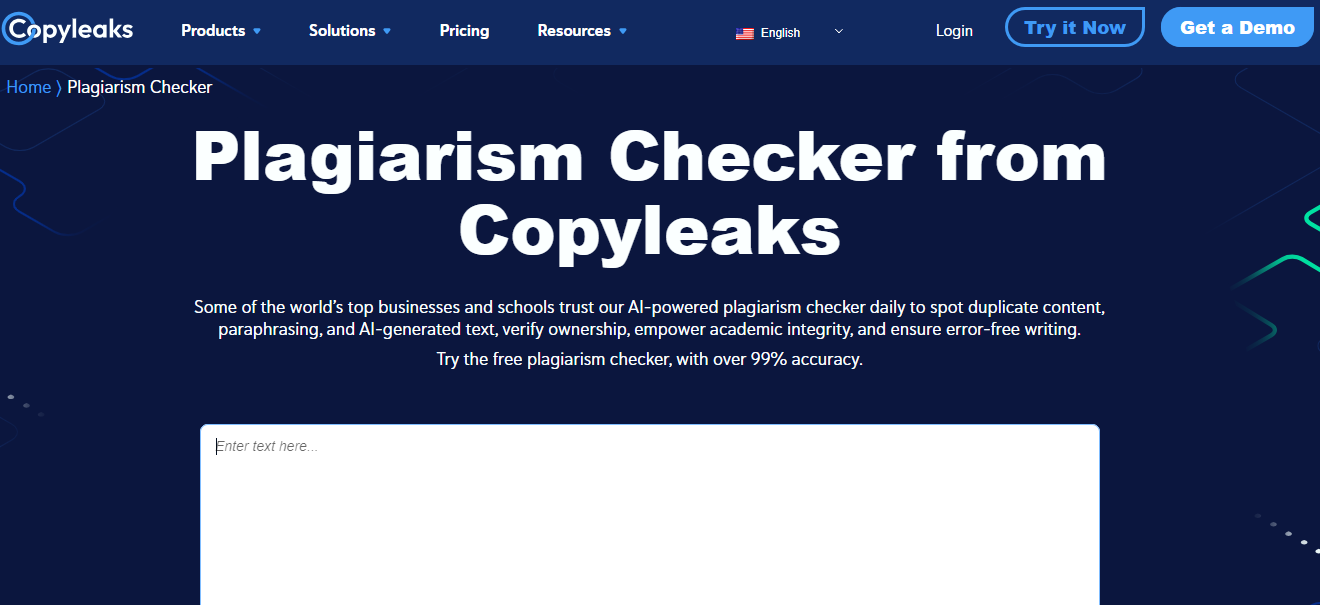
Copyleaks excels as an all-in-one plagiarism checker best suited for detecting both traditional plagiarism and AI-generated content in academic, professional, and multilingual contexts. Copyleaks can identify paraphrasing, image-based plagiarism, code similarities, and hybrid human-AI text with over 99% claimed accuracy.
Copyleaks’ free tier covers up to 2,500 words of plagiarism checks. Premium subscriptions start at $13.99/month, with 25,000 words for AI and plagiarism detection.
Pros:
- Detects plagiarism, paraphrasing, and AI-generated content with high accuracy (99%+ claimed) across 100+ languages
- Scans trillions of web pages, images, code, and multilingual sources for comprehensive coverage
- Provides detailed reports with source links, similarity scores, and API integration for educators/publishers
- Supports hybrid human-AI detection, ideal for academic integrity in modern research
Cons:
- May produce false positives on legitimate paraphrases or creative text, needing manual verification
- Free tier limited; heavy use requires paid credits, with slower processing for large files
- Less specialized for pure academic databases compared to Paperpal or Turnitin
Smodin: Best for Web Plagiarism Scans
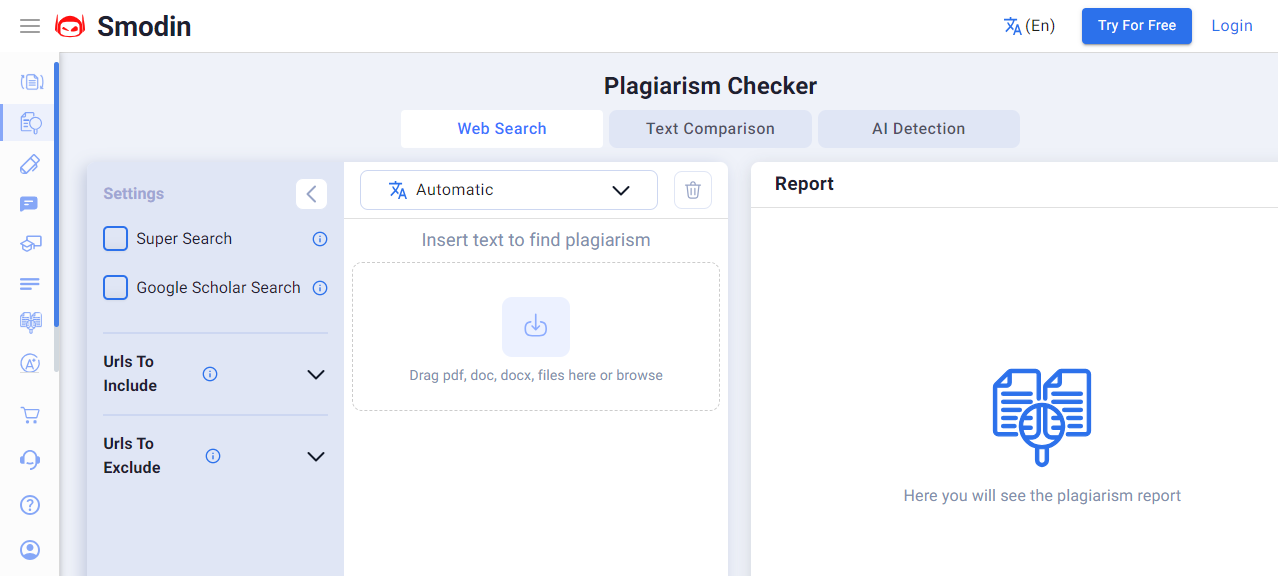
Smodin is a great choice for web plagiarism (strong for direct copies) or as a preliminary plagiarism checker for those on a budget. The plagiarism checker compares submitted text against a database of webpages and online sources and generates a report with the overall percentage of matching content. and sentence-level highlights for matched external sources.
Smodin’s free plan limits plagiarism checks to 1,500 characters per scan (roughly 250-300 words), with up to 5 scans per day or week depending on usage.
Pros:
- Scans billions of web pages quickly with multilingual support (100+ languages) and generates detailed originality reports with citations
- User-friendly interface, free tier available, and bundled features like rewriter and proofreader for fixing issues on the spot
- High claimed accuracy for exact matches and privacy-focused (no data storage)
Cons:
- Poor performance on paraphrased or edited text, sentence-level scanning leads to incomplete results.
- Low character limits in the free tier (~12,000 characters)
- Hard-to-read reports, and less reliable than academic plagiarism checkers like Paperpal or Turnitin
- Over-relies on web sources, missing scholarly databases for research-level checks
How to Choose the Best Plagiarism Checker for Academic Writing?
Even accidental or self-plagiarism entails severe repercussions in the academic domain. Hence, a reliable plagiarism checker is a must-have part of any text-related workflow. When choosing the best plagiarism checker for academic writing, it’s crucial to ensure that a tool aligns with the needs of students, researchers, scientists, medical professionals, etc. Here’s a guide based on our experience to choose the best plagiarism checker for research:
- Comprehensive Content Repository: The best plagiarism checker should have a vast, diverse database of webpages, academic journals, books, and other scholarly sources. Plagiarism tools like Paperpal, which checks your work against a database of 99 billion webpages covering 97% of top publications, significantly reduces the risk of undetected plagiarism.
- Detection of Paraphrased and AI-Generated Text: A reliable plagiarism checker should be able to detect not just verbatim copying, but also subtler forms of plagiarism, including AI-generated content or paraphrased passages that lack proper attribution. This level of plagiarism detection ensures a thorough check for any form of misconduct and cheating.
- Clear Reporting: A good plagiarism checker should provide clear, detailed reports that highlight instances of potential plagiarism and specify sources where text matches were found. For instance, Paperpal provides easy-to-read plagiarism reports with a similarity score, color-coded results, side-by-side comparisons and suggestions to address potential red flags.
- Integrated Citation Assistance: The best plagiarism checkers will also have citation support. This helps in quickly addressing instances of potential plagiarism by attributing sources correctly and in the right style, which further helps maintain academic integrity.
- Integrated Writing and Editing Support: Plagiarism checkers like Paperpal also offer integrated writing and language editing assistance, along with in-built search and cite features, making it the best plagiarism checker and all-in-one academic writing tool.
While Paperpal stands out as the best plagiarism checker for academics, Scribbr is also highly regarded for their plagiarism detection capabilities and ease of use. Always consider your specific needs and budget to find the best fit for research and academic writing purposes.
Frequently Asked Questions
To ensure we’re offering authors the best plagiarism checker for research, we conducted extensive benchmarking between Paperpal and two other online tools, Scribbr and QuillBot.
We tested 20 passages, containing a mix of original content as well as text lifted from published sources. We evaluated whether the tools could correctly detect original content as well as text copied from published sources.
The benchmark analysis found that Paperpal had the most accurate plagiarism detection, 90% accuraty, correctly detecting whether the passage was original in 18 of the 20 samples. In comparison, Scribbr’s plagiarism check detected 14 paragraphs (70% accuracy) and QuillBot only 11 (55% accuracy).
The best plagiarism checker for research and academic writing largely depends on your specific needs:
1. To produce your best original academic content: Paperpal is the perfect plagiarsm checker for academics; its deep domain expertise and comprehensive database of 100 billion webpages and 200 million open access articles lets users to scan against published research and avoid plagiarism.
2. To avoid plagiarism issues in everyday writing: Grammarly and Quetext are great options for easy and quick plagiarism checks, especially for those looking for additional writing support.
3. To quickly check short text for plagiarism: Copyleaks or PlagScan may be more suitable for those looking for flexibility and processing text in batches as they write.
4. To ensure accurate, affordable plagiarism detection: Paperpal is one of the few plagiarism checkers offering a generous free tier of up to 7,000 words monthly. Whether you’re working on essays, class assignments, or research projects, this free tier provides accurate plagiarism detection without compromising on quality.
Using a plagiarism checker ethically is crucial for maintaining academic integrity while respecting the rights of original authors. Here are some guidelines on how to use these tools responsibly:
1. Understand What Constitutes Plagiarism: Familiarize yourself with the different forms of plagiarism, including direct copying, paraphrasing without credit, and using others’ ideas without attribution. This understanding will help you recognize the importance of originality in your work and the role of plagiarism checkers in preventing academic dishonesty.
2. Review and Interpret Results Carefully: Plagiarism detection tools may produce false positives, flagging common phrases or well-known facts as potential plagiarism. Review results critically and determine whether the flagged content genuinely constitutes plagiarism or if it is simply a legitimate use of common knowledge/phrases.
3. Ensure Privacy and Confidentiality: Be mindful of the security and privacy measures when using plagiarism checkers, especially those that store or share your documents. Ensure that the tool you choose has a clear data policy and does not retain or use your work without your consent.
4. Cite All Sources Appropriately: Use plagiarism checkers to identify missing citations. If the tool highlights text that matches other sources, ensure that you provide proper attribution.
5. Follow Institutional/Journal Guidelines: Adhere to your institution’s or journal’s policies on plagiarism and the use of plagiarism detection tools to navigate ethical dilemmas effectively. Many academic institutions and publishers have specific guidelines regarding how to use these tools and the consequences of academic dishonesty.
6. Check Your Work Before Submission: Always run your writing, and its revised versions, through a plagiarism checker before submitting it. This step helps ensure that your work is original and that you have appropriately cited all sources.
Paperpal is a comprehensive AI writing toolkit that helps students and researchers achieve 2x the writing in half the time. It leverages 23+ years of STM experience and insights from millions of research articles to provide in-depth academic writing, language editing, and submission readiness support to help you write better, faster.
Get accurate academic translations, rewriting support, grammar checks, vocabulary suggestions, and generative AI assistance that delivers human precision at machine speed. Try for free or upgrade to Paperpal Prime starting at US$19 a month to access premium features, including consistency, plagiarism, and 30+ submission readiness checks to help you succeed.
Experience the future of academic writing – Sign up to Paperpal and start writing for free!
 Paperpal for China
 Paperpal for Korea
 Paperpal for Japan


 Speak to us