

Why are academics still piecing together research and writing across a dozen tabs, tools, and disconnected workflows? You find a paper in a database, you screenshot bits into messy notes, then open a new tab to paraphrase a section, then open another to check your citations, then another to polish text. Each task is easy on its own. But ten tabs later, you don’t feel “productive.” This scattered workflow slows you down, breaks your focus, and drains the joy from research.
Academics today don’t fail because of lack of information. They burn out because the workflow forces inefficiency. The new Paperpal Chrome Extension challenges these old patterns. By turning any webpage into your own academic workspace, it helps you learn faster, write better, and take notes smarter.
What is Paperpal Chrome Extension?
Ever written on Notion, Medium, or other writing platforms, and wished you could perfect your writing without leaving the page? Or come across an interesting article online and wanted an instant summary, explanation, or citation-backed notes—without breaking your reading flow? Now with Paperpal’s Chrome extension you can now do all this (and more!)
The Paperpal Chrome extension can transform any webpage into a complete academic workspace, where writing, reading, research discovery, paraphrasing, summarizing, citations, and notetaking happen in one seamless flow. No switching apps. No fragmentation. No losses in context or time.
Fast-track your research and writing with Paperpal, right where you work.
The Complete Academic Toolkit within Your Browser
This is not just another AI app. Paperpal is mapping the future of education and research that now happens directly in browsers, where academics already spend most of their day.
Here’s a glimpse of what you can achieve with this powerful all-in-one grammar checker, AI writing tool, and research assistant, which works directly on the webpage you are on.
- Run a full Grammar Check, including spelling and punctuation checks
- Rewrite in a click using the AI Paraphrasing Tool (with 10+ modes)
- Accurately condense complex arguments with the AI Summarizer
- Turn insights into seamless Notetaking by saving snippets with citations
- Extract insights, simplify concepts, and study faster with Chat with PDF
- Surface related research from 250M+ verified articles using the AI Reference Finder
6 Ways to Level Up with Paperpal’s Chrome Extension
Whether you’re using a popular writing platform or looking for articles in online research repositories, Paperpal Chrome extension provides reliable tools directly within your browser tab. Here are 6 game-changing ways you can maximize your workflows starting right now.
1. Enhance Language, Clarity, and Flow as You Write
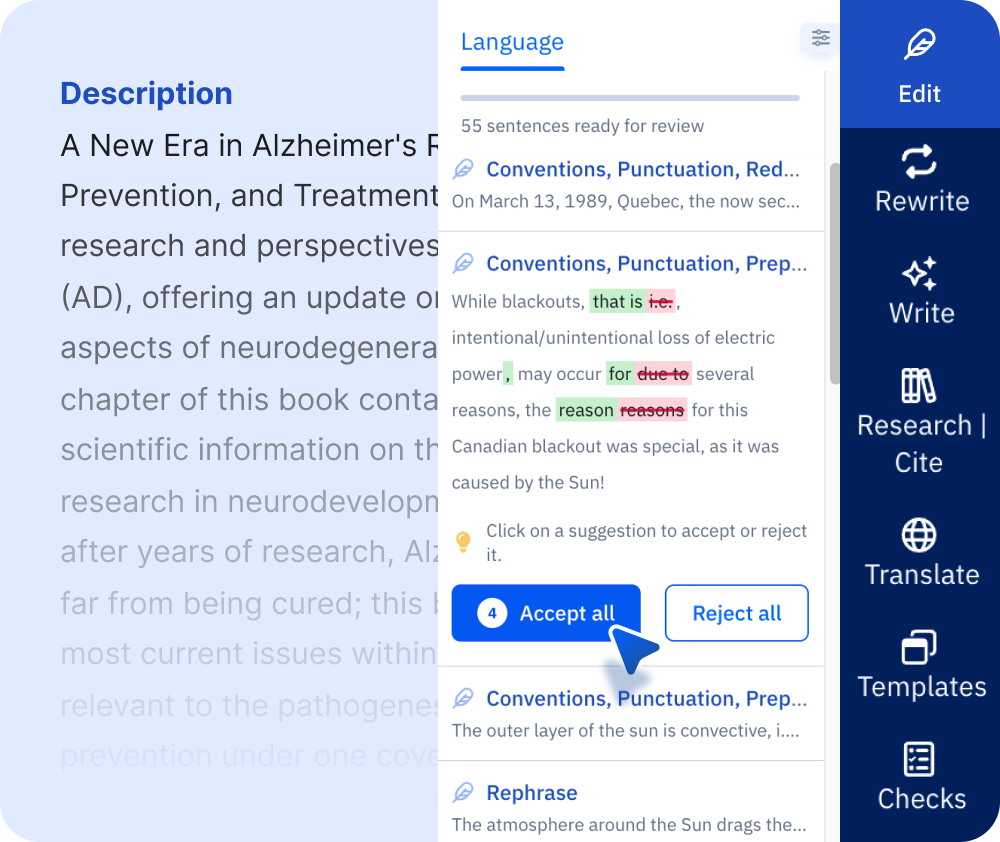
Ready to check your drafts to eliminate unclear sentences, awkward phrasing, or missed errors? Paperpal’s Chrome extension smooths the process by offering the most accurate grammar checks and language suggestions for academic text. As you write on platforms like Overleaf, Notion, Substack, and more, click on the Paperpal pill to get instant suggestions to correct your grammar, punctuation, spelling, sentence structure, and clarity. With real-time context-aware editing and proofreading right where you work, you can confidently draft clean, professional content without breaking your writing flow.
2. Summarize and Absorb Complex Concepts Faster
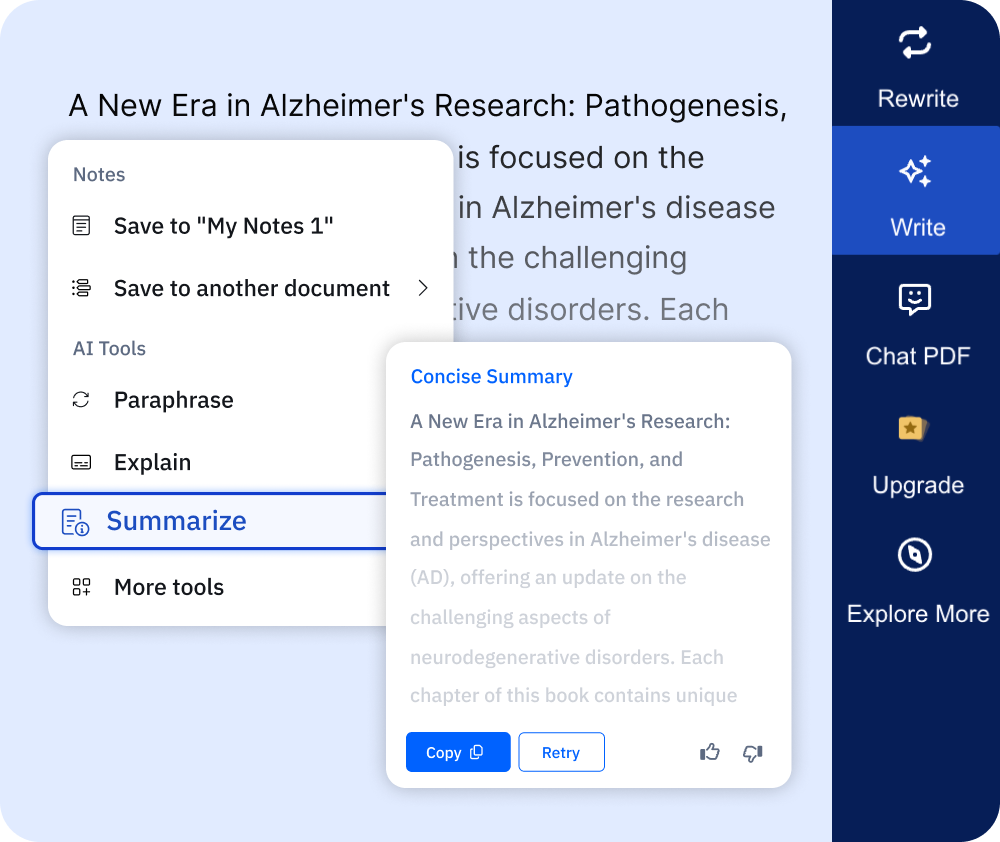
Turn hours of literature review and reading into minutes and simplify your learning and concept retention skills. Simply select any webpage or text, and Paperpal generates instant AI summaries, quick explanations, or contextual insights in a few clicks. This makes Paperpal Chrome extension the best online research assistant for academics looking to strengthen literature reviews, prepare for competitive exams, or speed up comprehension when tackling difficult coursework or interdisciplinary research.
3. Rewrite with Precision (Without Losing Meaning)

Generic paraphrasing tools often distort context or weaken your argument, but Paperpal’s academic AI paraphraser helps you rewrite with accuracy, preserving the original meaning, intent, and your own authentic voice. With 10 modes designed to understand academic nuance, you can refine vocabulary, simplify complex sentences, and enhance writing flow with confidence. One-click tone adjustments let you tailor your writing to any audience, while the built-in word reduction tool can shorten text by up to 35% without losing meaning or clarity. For serious academics, Paperpal is the most efficient and reliable way to get polished, submission-ready writing.
4. Never Lose a Cited Quote or Reference Again
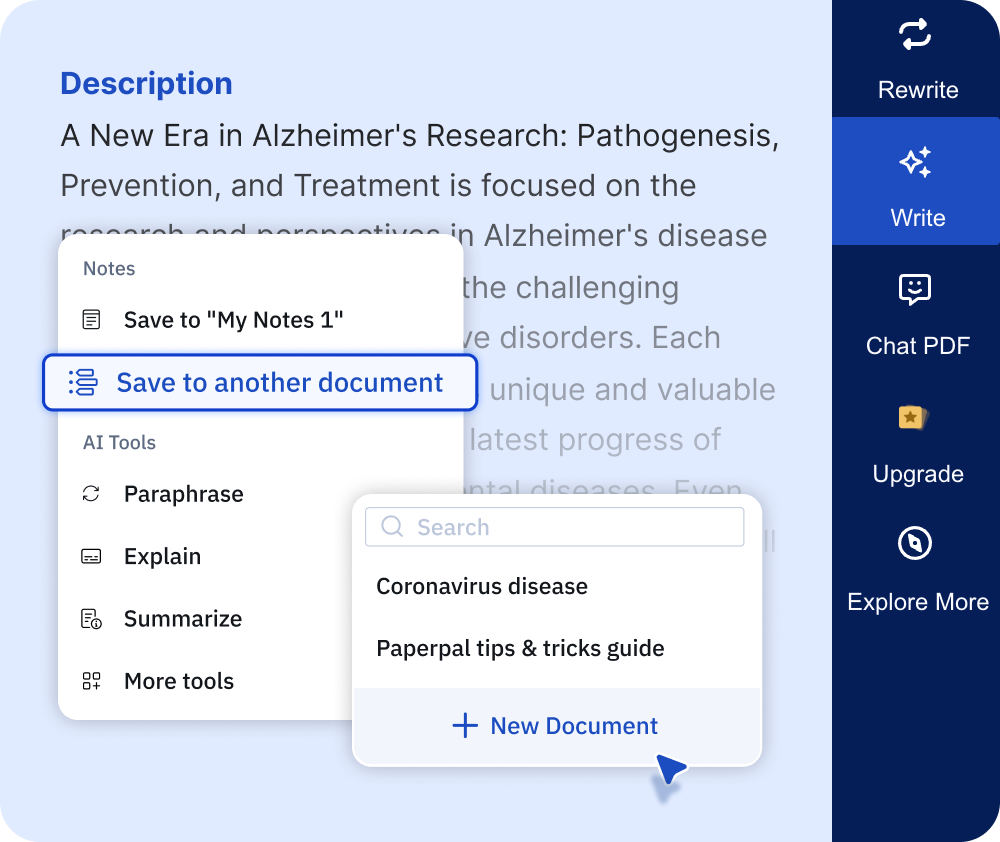
Ever copied text into a document or scribbled notes during your literature review, only to forget the source later? Paperpal’s Chrome extension fixes this for you. Highlight any passage online, click “Save Note,” and Paperpal captures the text to your preferred document, with the original source link added as a perfectly formatted citation; everything stays organized in your cloud notebook from the start. You can also switch between APA, MLA, Chicago, or 10,000+ citation styles in one click. With notes and citations linked from the start, you can halve the time and stress in reviewing the literature and organizing references.
5. Discover Related Research While You Browse
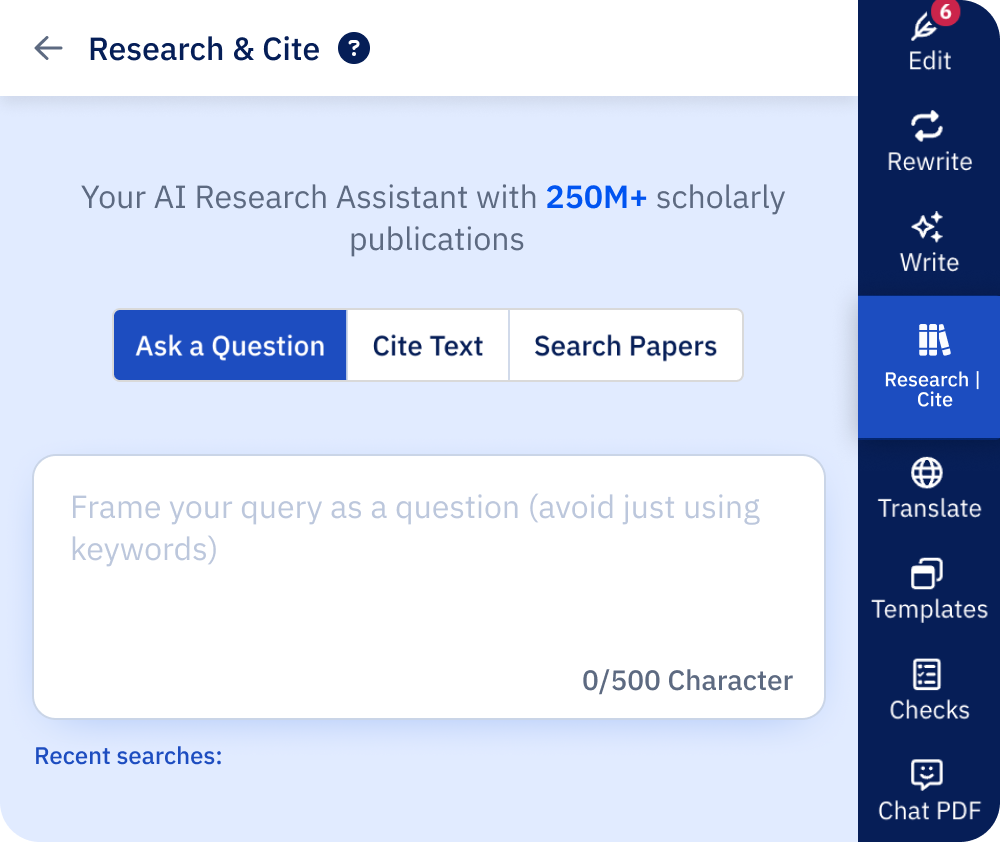
Doing a comprehensive literature review takes time, especially when you’re busy switching tabs or searching for research manually. Paperpal’s Chrome extension makes this process easy. As you browse articles on Google Scholar, PubMed or other repositories, click the Paperpal pill to see top 5 related research papers from over 250 million verified scholarly articles. Each suggestion includes the title, abstract, DOI, with the option to ask questions or save to notes, helping you deepen and broaden your literature review without the usual stress.
6. Uncover Insights from Any PDF (Online or Uploaded)
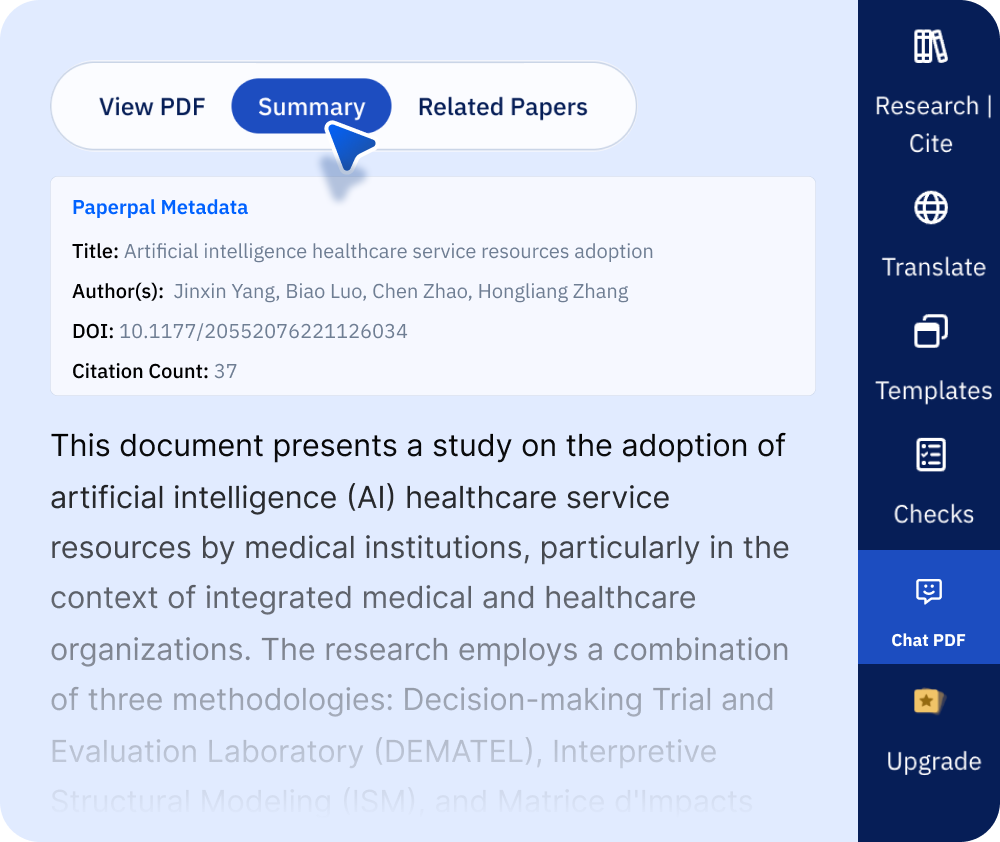
Most of your research lives in PDFs, and now you can chat with them instantly without having to download or switch tools. With Paperpal’s Chrome extension, just open any PDF (online or uploaded) and start asking questions, for example “What’s the main takeaway from Figure 3?” or “Explain the method in simple terms.” Paperpal analyzes the PDF and pulls answers directly from the document, saves your chat history, and lets you share insights with collaborators. It’s like having a trusted 24/7 research assistant right next to you, guiding you as you work.
Paperpal is built for academics who need more than generic writing tools. Paperpal’s Chrome Extension offers real-time, LaTeX-safe writing and editing on Overleaf and seamless research and writing support across platforms like Google Scholar, PubMed, Nature, Elsevier, Notion, Medium, Outlook, Evernote, Substack, and Confluence. With accurate context-aware suggestions, and a commitment to keeping your data secure and never using it to train its AI models, Paperpal provides the privacy, precision, and reliability academics expect. The Paperpal Chrome extension is another step toward making academic writing simpler, faster, and smarter by delivering the right support where you need it—by your side, on every page.
Paperpal is a comprehensive AI writing toolkit that helps students and researchers achieve 2x the writing in half the time. It leverages 23+ years of STM experience and insights from millions of research articles to provide in-depth academic writing, language editing, and submission readiness support to help you write better, faster.
Get accurate academic translations, rewriting support, grammar checks, vocabulary suggestions, and generative AI assistance that delivers human precision at machine speed. Try for free or upgrade to Paperpal Prime starting at US$25 a month to access premium features, including consistency, plagiarism, and 30+ submission readiness checks to help you succeed.
Experience the future of academic writing – Sign up to Paperpal and start writing for free!
 Paperpal for China
 Paperpal for Korea
 Paperpal for Japan


 Speak to us